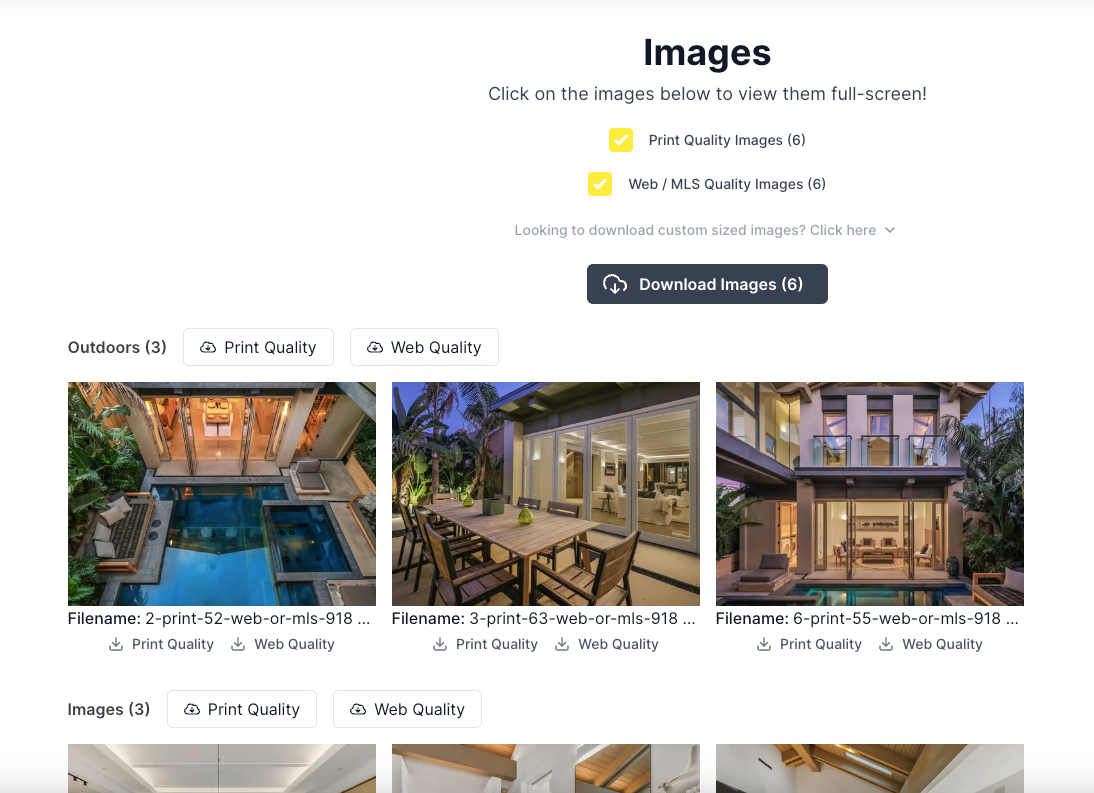
This feature allows users to categorize their listing images into designated sections, enhancing the ability to manage visual assets according to various criteria such as location or session type.
Photo Grouping Management
The photo grouping functionality can be accessed via the 'Rearrange' tab in the 'Images' section on the 'Edit Listing' page. Users are provided with a modal that offers the creation of new groups, the use of existing templates, or the application of popular tags. The interface supports drag-and-drop sorting within each group, as well as multi-select options for efficient image reorganization. A user will also be able to set all images within a group to be unavailable by setting the
Display on property website
to off. Image groups can be updated using the pencil icon to the right of the group name or removed by clicking the trash can to the right.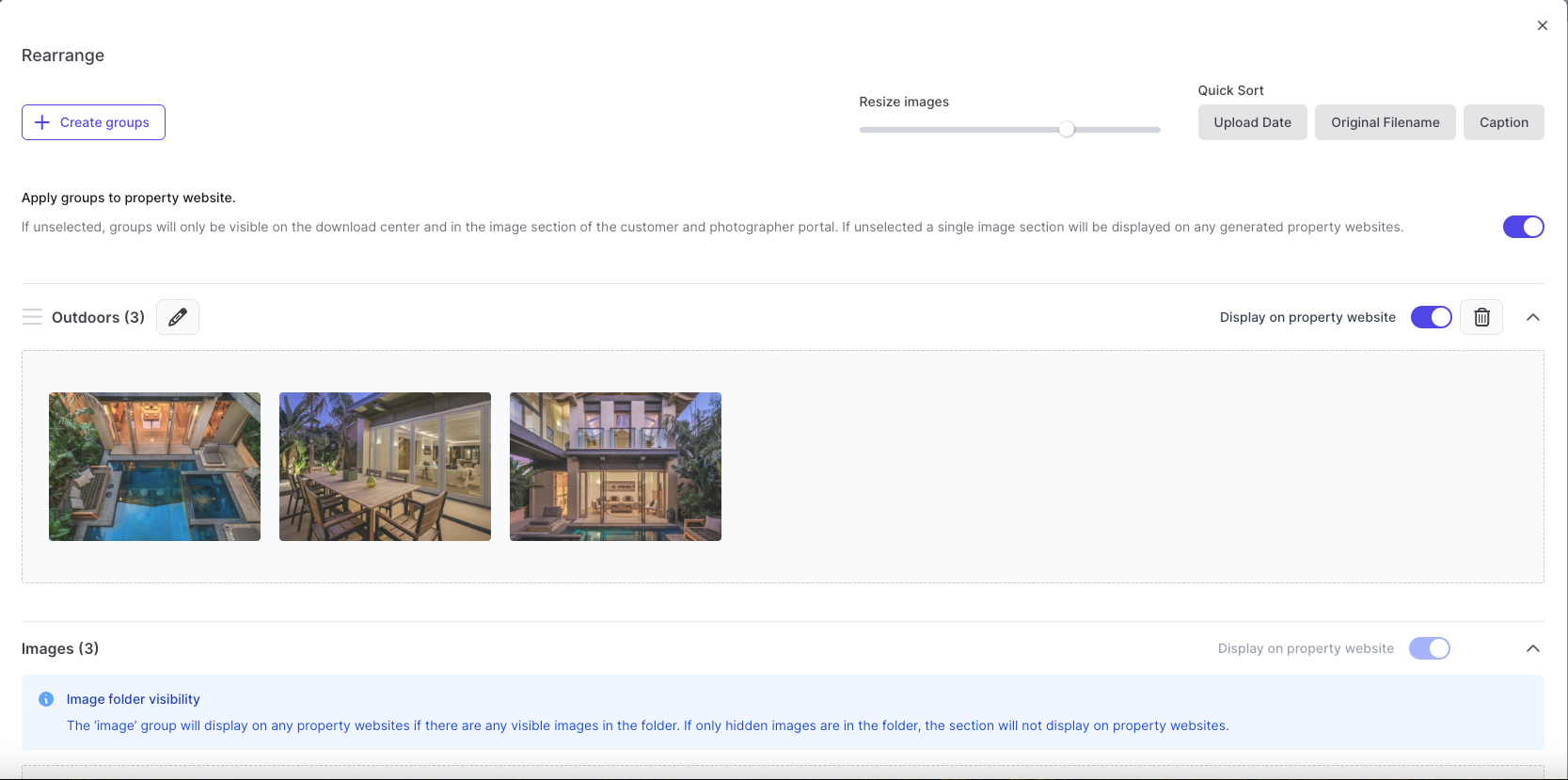
Photo Grouping Templates
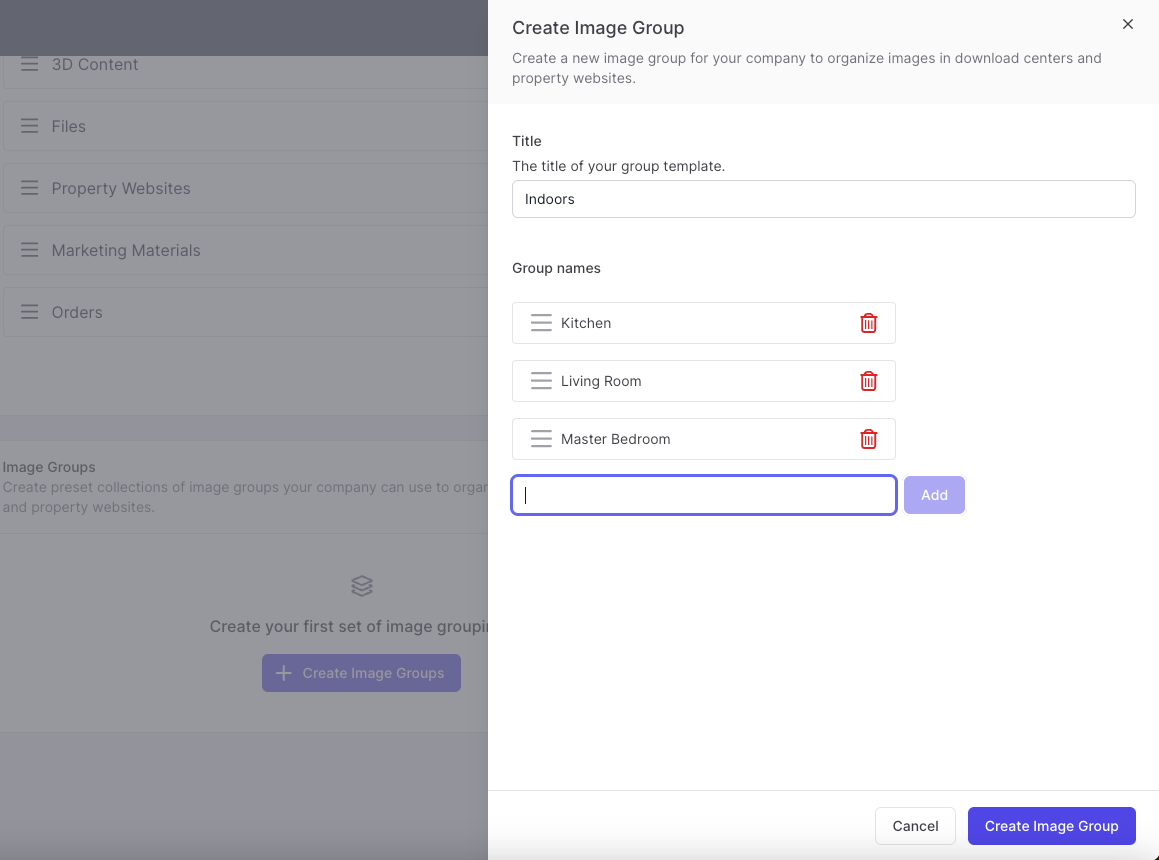
Predefined templates for Photo Groupings are available within the 'Listings' section found under the 'Settings' menu. Users can establish and save templates of commonly used group names, providing a streamlined process for future listings. These templates are fully customizable, allowing users to rearrange and update the group names to suit their specific needs at any time.
Property Websites
The arranged photo groups will be displayed on property websites, you can turn off groupings on property websites by selecting the
Apply groups to property website
to off in the Rearrange modal.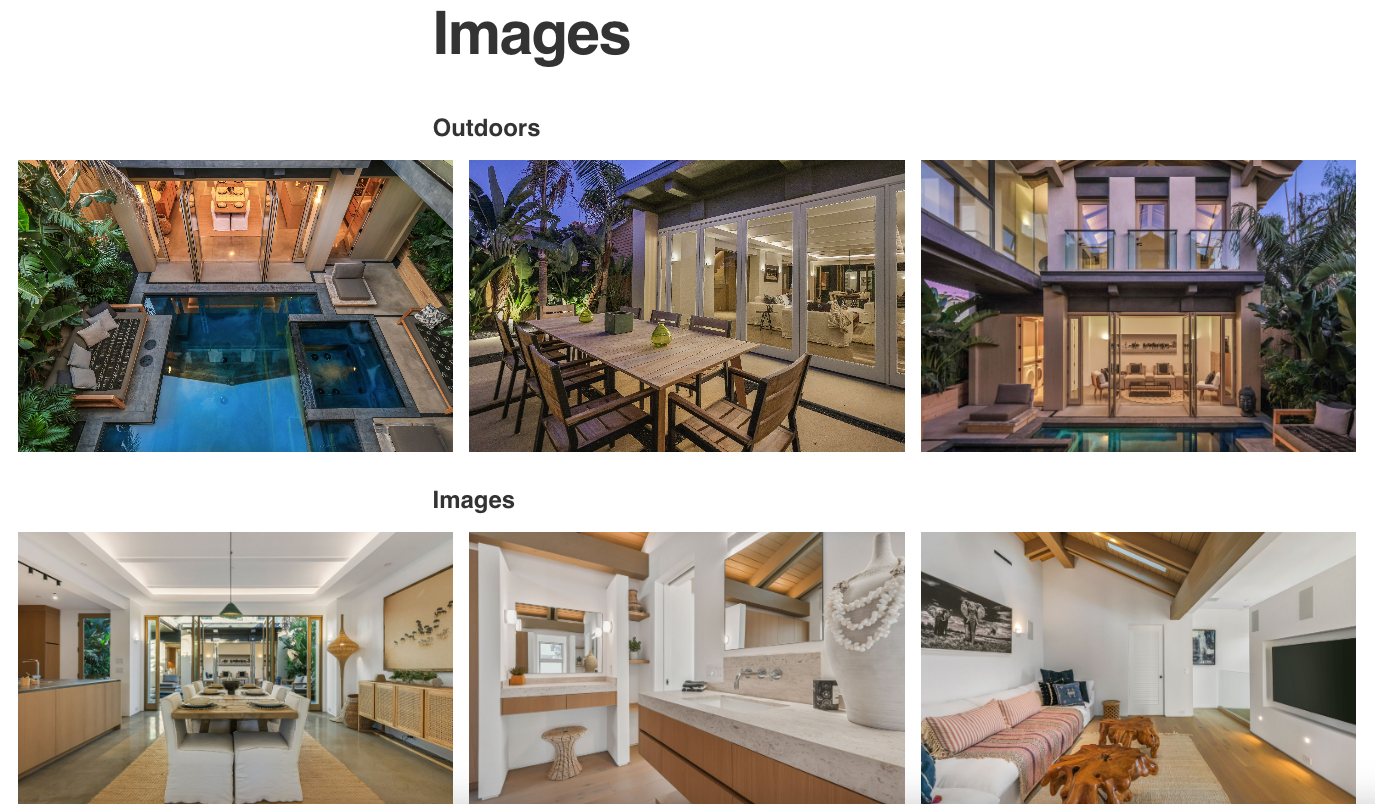
Download Center
Photo groupings are also shown in the download center, corresponding to the organization defined in the 'Rearrange' modal. Users have the flexibility to download the entire image collection, individual image groups, or single images in either print or web resolution